Mid-Year Product Round-Up
The first half of the year was about giving teams finer control over the moments that make up an engagement, not just the big events, but the appointments, requests, and follow-ups in between.
Here’s what’s new, and what it means for you.
Appointment Segmentation
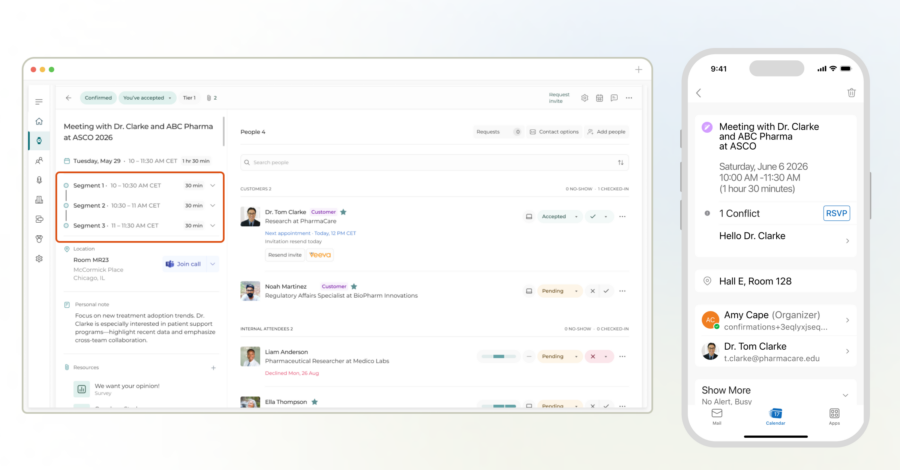
One headline feature this half: Appointment Segmentation. If you’ve ever had Medical Affairs and Commercial both need time with the same customer during a congress, you know the old options were either two separate invites (more friction for the customer) or one long meeting where everyone sits through the part that isn’t relevant to them.
Segmentation solves that. One appointment, split into 2 to 6 sequential segments, each with its own attendees, topics, and objectives, but still one calendar hold and one invite for the customer.
- The customer sees a single, clean invitation for the full meeting. No visibility into the internal breakdown.
- Internal attendees are only blocked on their calendar for the segment they’re actually a part of, so they stay free for other meetings before or after their slot.
- Organizers and schedulers see the full picture: every segment, attendee, and objective, organized within one appointment record.
- Segmented appointments still report as a single appointment in analytics, so nothing gets fragmented downstream.
💡 Why it Matters
Customers get one seamless experience, internal teams get more efficient use of their time, and organizers maintain one centralized record of the full engagement.
Insights
A conversation with a KOL rarely stays relevant to just the person who had it. Scientific interests, follow-up commitments, and evolving opinions matter to whoever meets with that KOL next, whether that’s someone on the same team or in a different function entirely. Without a shared place for that information to live, it gets rebuilt from memory or lost between meetings.
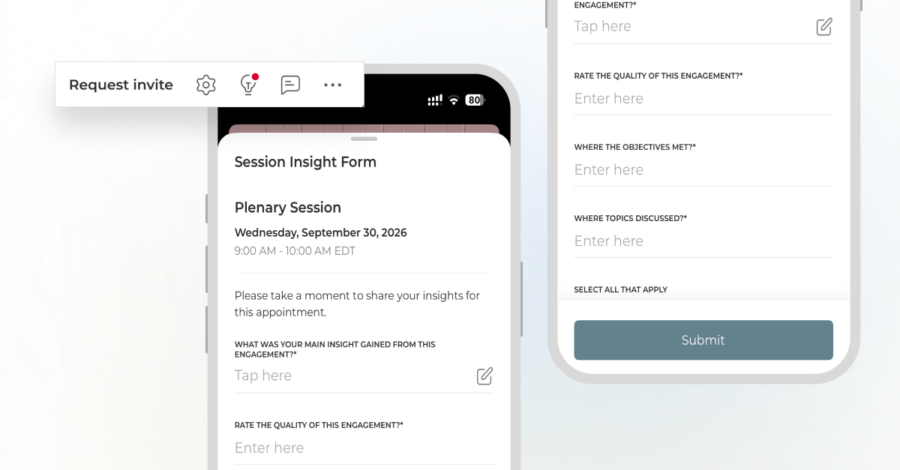
The Insights feature gives organizations a structured way to capture that context and keep it attached to the engagement itself, searchable and visible across Medical Affairs, Commercial, Clinical Development, and Leadership, with admins controlling access where needed.
- Admins can now separately control who can view insights and who can submit them, so access lines up with how your organization is structured.
- Multiple default forms can be set up across Appointments and Schedule, so the right form shows up whether the context is a one-on-one meeting or a congress session.
- Insights now support attached resources, and users can edit their own submissions as details are confirmed or corrected.
💡 Why it Matters
Institutional knowledge builds up instead of disappearing, and the next person to meet with that KOL, whatever team they’re on, starts the conversation already caught up.
Please note: Insights is available as a paid add-on.
Other Appointments Upgrades:
- Ask Customer shows real-time slot availability everywhere it matters: the edit view, bulk invites, and the customer-facing page itself. Schedulers get notified when a page is running low.
- Appointment Requests are now more flexible and efficient. Duplicate requests across events, edit pending requests without starting over, view a complete change log, assign request priorities, and automatically generate appointments from templates when requests are approved.
- Scheduling Controls have been strengthened. Customers can no longer reschedule appointments within four hours of the start time, cancellations now require a standardized reason, and rooms can be configured to require at least one customer before they can be reserved, helping ensure appropriate room utilization.
- Automated Follow-Up now includes the option to send customer thank-you emails automatically after an appointment, eliminating the need for organizers to manually send recap emails.
- Appointment Activity Notifications ensure schedulers never miss important updates by automatically notifying them when activity notes are added during the planning process.
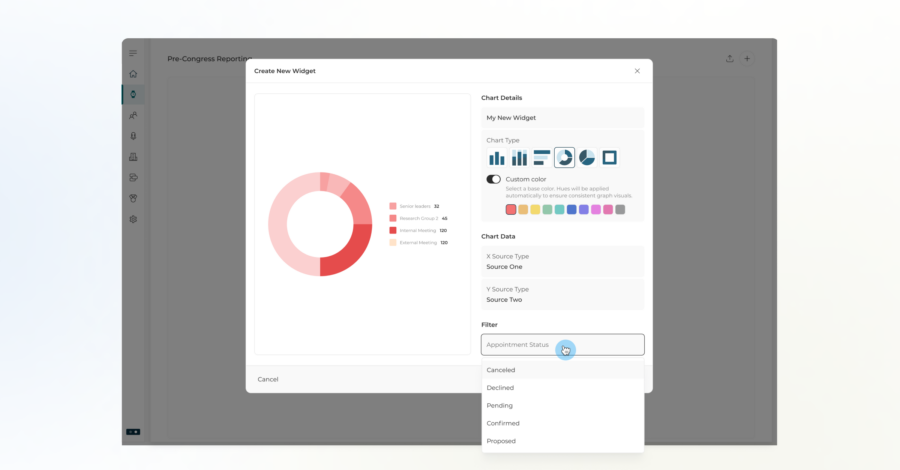
- Customized Appointment Dashboards can be created for pre-event planning, onsite execution, and post-event reporting. Track the metrics that matter most at each stage, including Objectives, Topics, Locations, Custom Fields, Status, Check-in, Groups, Day, and Country, then share dashboards instantly via a notification link.
💡 Why it Matters
Less time chasing availability, fewer manual workarounds, and cleaner data every time you pull a report.
Ensemble
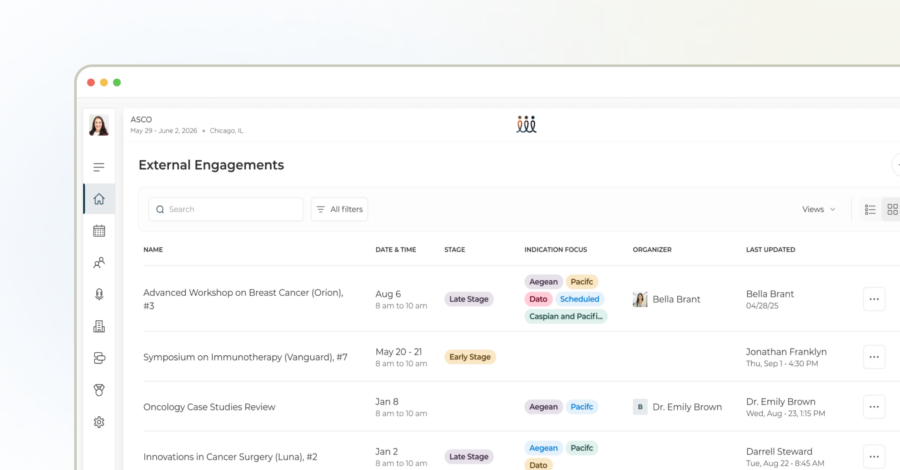
If you’re not using Ensemble yet, here’s the quick version: it’s the hub that gives you one view across every engagement, from a global congress down to a single internal meeting, segmented by region, department, or therapy area.
Visibility settings help ensure external partners only access the information relevant to their role, while internal teams maintain a more complete view. And by keeping meeting outcomes, next steps, and engagement details within Ensemble, teams have a centralized record of activity without relying on separate manual trackers.
This half’s updates were about keeping that hub clean as usage scales:
- Delete and reactivate Ensembles at the account level.
- Imports now auto-associate with the right event or account.
- Touchpoints can link directly to Events.
💡 Why it Matters
As your Ensemble volume grows, cleanup and reassignment take seconds instead of a support ticket.
Customers
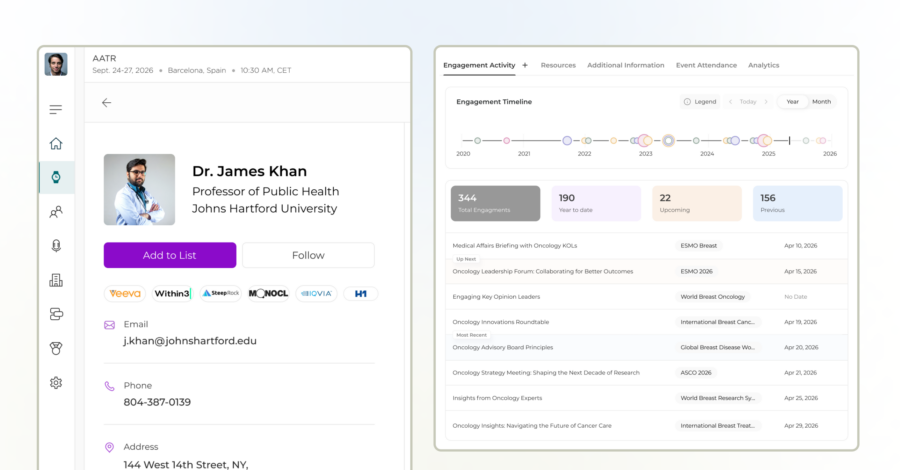
Customer profiles centralize every interaction: engagement history, upcoming activity, and shared context across Medical Affairs, Commercial, and Field teams, all in one record instead of split across systems.
We’re also rolling out Harmony, CRM integration-powered profile enrichment that keeps customer records complete and current, pulling in accurate contact details and affiliations as they change, so profiles stay accurate without manual upkeep.
This half’s updates built on that foundation:
Customer Visibility
- Follow Customers lets you follow specific customer profiles and receive notifications about their activity. A profile tile makes it easy to see which customers you’re currently following.
- Engagement Dashboard Views got a customizable map, PDF export, and cleaner graphs.
Customer Quality
- Customer Verification can now be enabled during the Ask Customer confirmation process, allowing customers to verify their phone number and helping ensure your team has the most accurate contact information when it matters most onsite.
- Customer Lists have been enhanced with additional columns, including attendees, appointment-based custom fields, and indicators for missing required information during appointment creation, giving planners greater visibility and reducing manual work.
Customer Scale
- Bulk Actions on the main list now support up to 1,000 customers at once.
💡 Why it Matters
Relationship context stays with the account, not in one person’s inbox.
Registration
Plans change. Now the registration flow can keep up.
- Attendees can now fully unregister from an event, with a dedicated confirmation flow and email links.
- Waitlists are configurable, with auto-promotion and guest editing built in.
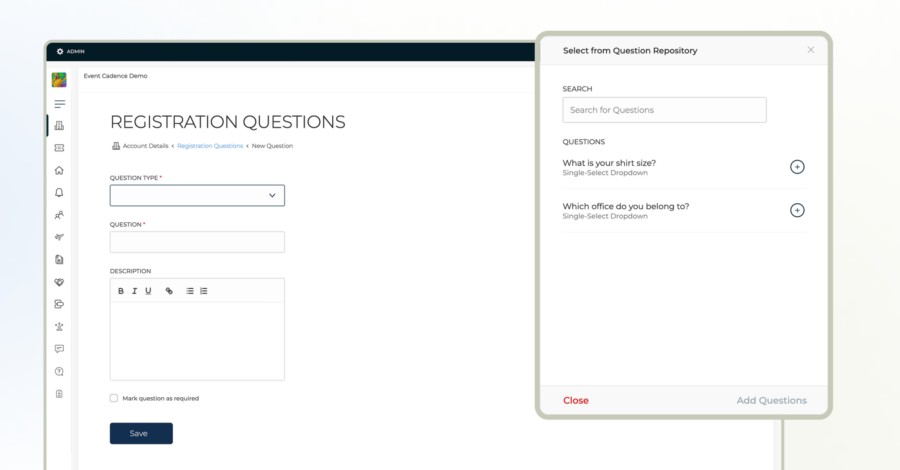
- A new Question Repository lets you reuse registration questions across forms instead of rebuilding them each time.
- Authenticated attendees can edit their own registration details after submitting.
💡 Why it Matters
Fewer emails to your team asking for changes, and a cleaner record of who’s actually attending.
Schedule
Less time cleaning up the export, more time using it.
- Schedule Builder now exports directly to PDF and Excel, with filtering by Customer Country and Custom Fields for more tailored schedules and reports.
- Schedule Builder Status Filtering has been refined so declined, pending, and canceled records are automatically excluded when filtering by user or group, keeping schedule views accurate and relevant within the Schedule Builder feature.
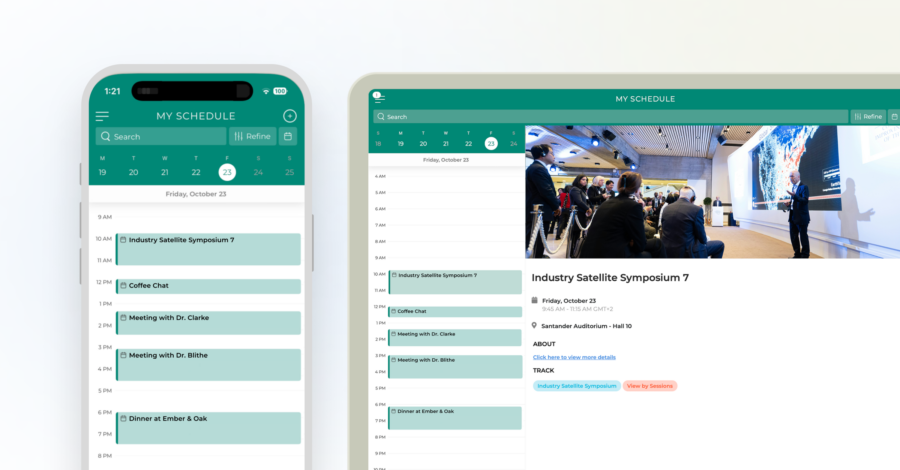
- Mobile One-Day Calendar Views on iOS and Android now include a one-day view, making it easier to manage busy schedules and navigate events on the go.
💡 Why it Matters
Less reconciling data by hand after you pull a schedule.
Account Management & Security
- Sender emails can be configured by Account Group.
- Admin access tokens now have centralized storage and an audit log.
- Calendar invite forwarding can be toggled per account.
- New admins get a Forgot Password flow, and 2FA emails are clearer.
💡 Why it Matters
Fewer support tickets for access and branding issues as you scale.
By Industry
- Life Sciences: Segmented appointments and Ask Customer visibility matter most when a single congress meeting spans Medical Affairs, Commercial, and external stakeholders, each with their own availability. Insights access controls mean post-congress debriefs stay visible to the right reviewers.
- Enterprise: Scheduler permissions, sender email configuration by account group, and access token auditing are built for organizations running many events across many teams. Higher bulk-action limits mean less per-event setup for planners managing multiple programs at once.
What’s Next
The next phase of Event Cadence is focused on making planning more flexible, consistent, and easier to manage, especially as teams coordinate increasingly complex meetings and engagements across events.
Here’s a preview of what we’re working on:
- Faster room changes onsite. Appointment rooms will be easier to swap between meetings with the same date, time, and duration, giving teams a quick way to handle last-minute changes without rebuilding appointments.
- More control within segmented appointments. Segmentation will expand to support sub-organizers, resources, and custom fields at the segment level. Teams will be able to manage information and visibility based on exactly who needs it for each portion of the meeting, including what internal attendees see in their invitations.
- More consistent appointment setup. Custom fields and forms are coming to the account level, making it easier to standardize appointment setup across events while reducing repetitive configuration for planners.
- Better visibility into planning readiness. Customer List dashboards will help planners quickly understand whether lists are ready to move into appointment planning, surfacing missing information such as team blackouts, personal messages, and required attendees before scheduling begins.
- A more connected Ensemble experience. We’re expanding Ensemble to support more of the registration and invitation process, including calendar invites and capacity management, bringing more of the engagement lifecycle into one place. Ensemble is also coming to the app for easier access on the go.
- More flexible mobile schedules. Custom Schedule Builder views are coming to the app, so teams can bring agendas built around specific meeting types, users, or groups directly into the mobile experience. We’re also working toward three-day calendar views across Schedule and Appointments for a broader look at what’s ahead.
💡 Why it Matters
The next wave of updates is about removing more of the manual setup between planning and execution, while giving teams greater control over how information, schedules, and responsibilities are managed across every engagement.
One More Thing
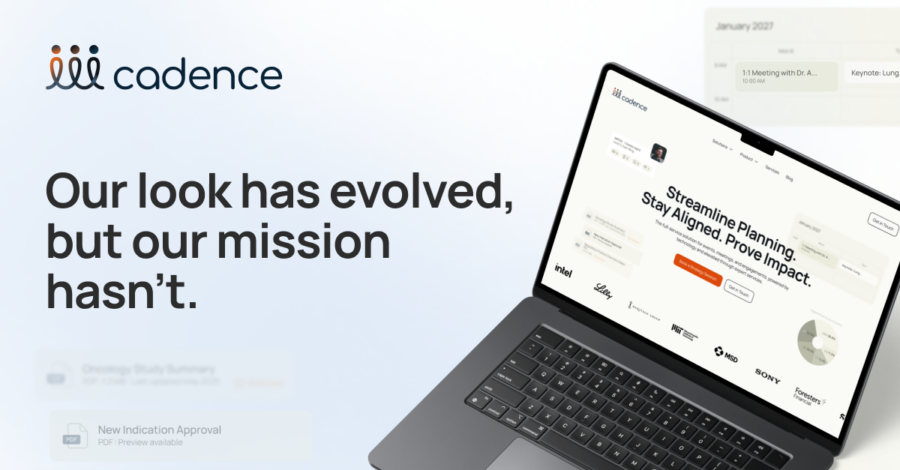
We also refreshed our brand and website this half. The work itself hasn’t changed, but life sciences has become the center of our business, and our new site reflects that more clearly, along with how our platform and our services work together. If you haven’t seen it yet, take a look here.
About Event Cadence
Event Cadence is the full-service solution for events, meetings, and engagements, powered by technology and elevated through expert services. We help organizations streamline planning, stay aligned across teams, and prove impact, from medical congresses and KOL engagement to strategic meetings and enterprise events.